Wedding invitation QR code: what it should open, where the registry code goes and the size that scans
Where the QR code on a wedding invitation should lead: your wedding website, directions, the registry or the reply form. Where a wedding registry QR code belongs, how many codes an invitation can carry, the smallest size that scans, and the proof test before the print run.
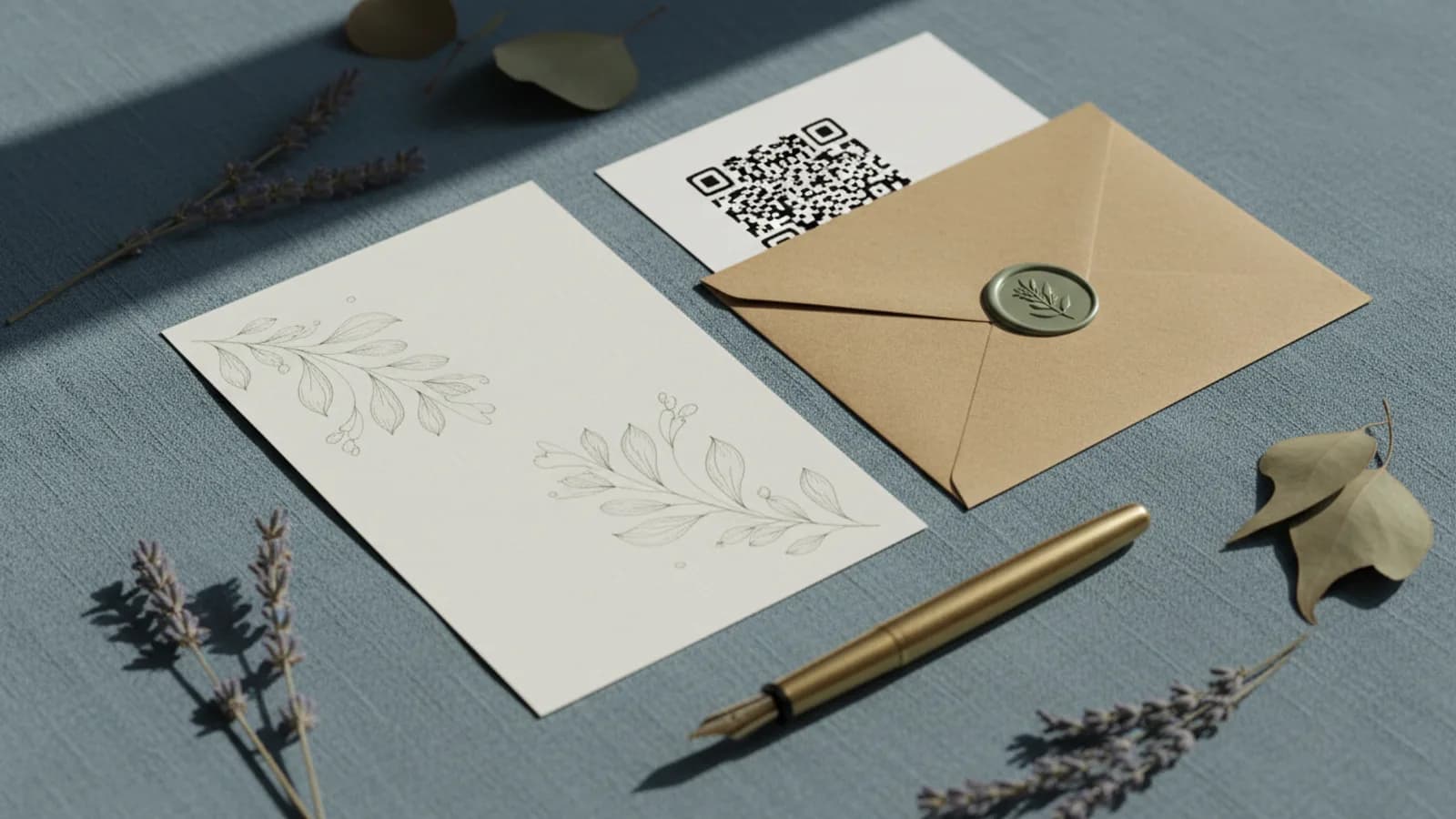
A QR code on the invitation solves a real problem: an invitation has very little room, and guests need more than fits on it. The address with a map, the RSVP deadline, the registry, the dress code. The usual mistake is to try to give each of those its own code, scattered across the card, with nothing saying which is which.
Quick answer
Print one code, two at most, and write next to it what it opens.
- If you have a wedding website, the code goes there: the site already holds the RSVP, the address and the registry.
- Without a website, send it to what guests need to do before the day: the RSVP, with the deadline printed on the card. The form, the code and the deadline are in how to make a wedding RSVP QR code.
- A registry QR code belongs on the insert card or inside your website, and on the day by the gift table. Not on the front of the invitation.
- Print it at 30 mm (about 1.2 inches) or more, dark on a light background, with a white margin around it, and use the short link.
- Scan the printer's proof with two phones before you approve the run.
The QR code for guest photos and videos can go on the invitation as a heads-up, but its real work is on the tables, on the day.
Where each code can lead
| The code opens | What it is for | Watch out |
|---|---|---|
| Wedding website | Everything in one place: venue, times, dress code, registry and RSVP | The site's address cannot change once it is printed |
| RSVP form | You find out who is coming without chasing anyone | Print the deadline on the card, not only on the form |
| Directions | Opens the map at the right address for the ceremony or the reception | If there are two venues, make clear which is which |
| Registry | Guests pick a gift without having to ask | Many people find it a little forward on the invitation itself. The website or an insert card is gentler |
| Honeymoon or cash fund | A gift in money instead of a list | Same as above, and check the name the payment page shows before you print |
| Photos and videos on the day | Tells guests there will be a code at the party for what they film | On the invitation it is a heads-up. The code on the table is the one that collects the files |
Wedding website
- What it is for
- Everything in one place: venue, times, dress code, registry and RSVP
- Watch out
- The site's address cannot change once it is printed
RSVP form
- What it is for
- You find out who is coming without chasing anyone
- Watch out
- Print the deadline on the card, not only on the form
Directions
- What it is for
- Opens the map at the right address for the ceremony or the reception
- Watch out
- If there are two venues, make clear which is which
Registry
- What it is for
- Guests pick a gift without having to ask
- Watch out
- Many people find it a little forward on the invitation itself. The website or an insert card is gentler
Honeymoon or cash fund
- What it is for
- A gift in money instead of a list
- Watch out
- Same as above, and check the name the payment page shows before you print
Photos and videos on the day
- What it is for
- Tells guests there will be a code at the party for what they film
- Watch out
- On the invitation it is a heads-up. The code on the table is the one that collects the files
One code, two at most
Two codes side by side with no label are a coin toss: guests scan whichever one the camera catches first and may never find the other. Three start to look like paperwork.
If you have a website, one code is enough. It opens the site, and the site does the rest, times included: if you have not set them yet, the wedding timeline generator builds the day around your ceremony in a minute. If you don't, pick what guests have to sort out before the wedding, which is almost always the RSVP, and the RSVP QR code walks through the form behind it. The address fits in writing on the invitation itself, and the map can live inside the RSVP form.
Whatever the code opens, write one line next to it saying what and by when:
- "RSVP by March 15."
- "Directions, times and our registry."
- "On the day, scan this to send us your photos and videos."
A concrete line does more than "scan our QR code", which gives nobody a reason to. The wording for the codes at the party is in what to write on your wedding QR code sign.
A QR code for the wedding registry
It works, and guests like it: they scan and land on the list, without asking which store it is at or hunting for you on a registry site. What matters is where it shows up.
- On the insert card, not the front of the invitation. The card with the practical details is where nobody minds seeing "registry". On the front, next to your names, it reads like a bill.
- Inside your website, if you have one. Then it does not need a code of its own: the invitation's code opens the site, and the registry is a page on it.
- On the day, by the gift or card table. A small sign there helps the guest who arrived empty-handed and would rather sort it out on their phone.
Which link to use:
- The share link for your registry, the one the registry gives you to send to guests. Not the address in your browser bar while you are signed in, which can open your own account page or ask for a login.
- More than one registry? One code, to a single page that lists them all (your website, for example). A code per store brings back the problem of unlabelled codes.
- A cash or honeymoon fund: check the name the payment page shows before you print. It is the name your guests see when they pay.
Before it goes to print, open the link in a private window on a phone that is not yours. If the list appears without a sign-in, it is right. And registries change: if you might still switch stores before the wedding, printing your website's address, which stays the same, is safer than printing the store's link.
The line next to it can be plain: "If you'd like to give a gift, our registry is here." It says what the code opens without turning the gift into an obligation.
Where it sits on the invitation
The code does not need to compete with your names. Three spots work:
- On the back of the invitation. The front stays the design, and the code sits where people turn the card over to read the rest.
- On an insert card. The smaller card in the envelope with the practical details is the natural home for the code and its line.
- In the bottom corner of the front, if the invitation is a single card. Small, but not squeezed against the edge.
What does not work: the code printed over a texture, a photo or a watercolour wash. The reader needs contrast to tell the squares from the background.
Size and the link
An invitation is read in the hand, about a hand's length from the face, so the code can be small. 30 mm wide or more, white margin included, is what we suggest in where to put the QR code at your wedding. Below that, too much depends on how long the link is.
Every extra character in the link becomes more squares in the code, and on a small code each square gets smaller. The numbers are in what size a wedding QR code should be: up to about 60 characters, the code is 37 modules wide; around 90, it is 49, and each module is down near the smallest a home printer can hold.
In practice:
- Google Forms: the full link easily runs past 90 characters. When you send the form, Google offers to shorten the link (it becomes
forms.gle/...). Use the short one. - Google Maps: the share button already gives you a short link (
maps.app.goo.gl/...). Use that, not the address in the browser bar. - Wedding website: use the main address, with nothing after the slash.
The link has to last until the wedding
Invitations go to print months before the party, and paper does not update. If the form is deleted, the site moves, or the website's free plan runs out, the code still looks fine and stops working. Online generators usually offer a dynamic code: it passes through an address of theirs, and that has a real upside, because you can change where it points after printing if the link was wrong. The price is depending on the generator: with many of them, the code stops opening when the free trial or the subscription ends. If you go dynamic, check how long it stays active without paying. If you would rather depend on nobody, use a static code, which encodes your own link directly, and test the link before you print.
Colour, finish and the printer's proof
Phone cameras look for contrast. The rules that prevent the most trouble:
- A dark code on a light background. Black, charcoal, navy or a deep green on light paper all work. Pale gold on cream does not.
- No foil or metallic ink on the code. The shine reflects light and wipes out part of the pattern, depending on the angle. Keep the foil for the rest of the design and print the code in ordinary ink.
- A white margin around it. The quiet zone is part of the code. Pushed against the edge of the card or into a frame, it fails.
- Ask the printer for a physical proof on the final paper and finish, and scan it with two different phones, one of them older, up close and at an angle. Approve the run only after that.
If you are also sending the invitation as an image by message, remember that a guest cannot point their camera at their own screen. Some phones can read a code straight from an image, but most people do not know that. Put the link in the message as text, next to the image.
What about the QR code for photos and videos?
It can go on the invitation, and it helps. But its job there is to warn people, not to collect anything. The collecting happens on the day and the morning after, and how to collect wedding photos from guests walks through it. When guests see the code on the tables, they already know what it is and need no explanation.
In Moment Recap there is only one code: the same QR code goes on the invitation, the tables and the entrance, because it is linked to your wedding as soon as you create the event. So you can print it on the invitation and say in the same line what to expect: "On the day, scan this to send us your photos and videos." It is also the moment to ask for what you want back, like short vertical clips, which is what guests actually send when someone asks properly.
The photo code comes with the event.
Create your wedding in Moment Recap and the QR code is already linked to it, ready for the invitation and the signs at the party. Guests scan it and send photos and videos from their phone's browser, with no app and no sign-up.
If the invitation already carries an RSVP code, the photo code can wait for the party. They are two different jobs: one has to be done weeks before, the other in the moment. The whole path for the party code, from the signs to the shared album, is on the wedding QR code for photos and videos page. If you only want the code for now, before you set up the event, the wedding QR code generator makes one for free and holds the album until you claim it.
Turn your guests' clips into a recap worth sharing.
Create your event, share one QR code, and get a vertical recap the same night.