What size should a wedding QR code sign be (with the numbers nobody publishes)
Real millimetres for wedding QR code signs, table cards, postcards, stickers and posters. The smallest module a home printer can hold, the error correction level paper actually needs, and the round sticker trap that stops a code scanning after you cut it out.
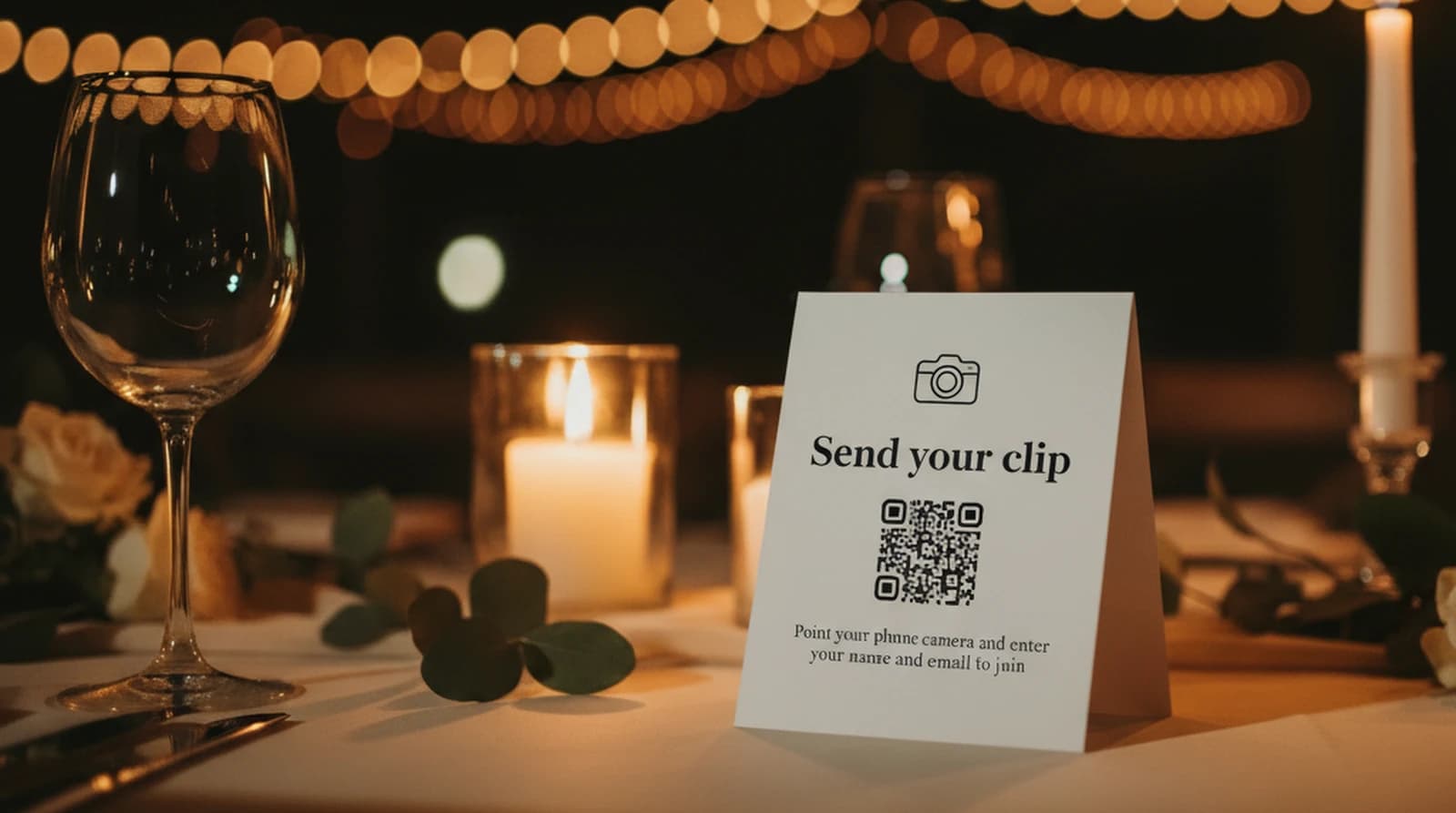
You printed the signs, put one on every table, and twelve photos came back to the shared album. The question everyone asks next is about the wording: should I have written something different?
Sometimes it is the wording. Very often the reason is physical, and it is measurable: the code was too small to be read from where the guest was sitting, in the light that was actually there, on the phone they actually own.
That problem has numbers. None of the articles currently on page one for this question publish them, so here they are.
Short answer
On a 50 to 60 character link, the smallest code a home printer holds reliably is 25 mm. Below that you are gambling.
Across the formats we print: table card 40 mm, A6 postcard 50 mm, half-A4 flyer 62 mm, A4 poster 100 mm, and a 40 mm round sticker takes a 28 mm code.
The rule underneath it: a QR code reads at roughly ten times its own width. The further the guest stands from the sign, the bigger the code has to be. The rest of this article is how those numbers are arrived at, and why the size of the sign is not what decides them.
The number that matters is not the sign size
Everyone asks how big the sign should be. The sign is almost irrelevant. What decides whether a code gets read is the module: the smallest black square in the pattern.
A QR code is a grid. If the grid is 37 squares across and you print the code at 40 mm, each module is under a millimetre. That number, not the 40 mm, is what a camera has to resolve.
So the arithmetic is always the same:
module size = code size ÷ (module count + quiet zone)
Everything below comes out of that.
How much room your link takes
The module count depends on how many characters you are encoding. A wedding gallery link is usually 50 to 60 characters, something shaped like https://yoursite.com/event/ plus a token.
We measured all three error correction levels for a link that length:
| Correction level | Modules | Recovers up to |
|---|---|---|
| M (what most generators default to) | 33 × 33 | ~15% |
| Q (the right one for paper) | 37 × 37 | ~25% |
| H | 41 × 41 | ~30% |
M (what most generators default to)
- Modules
- 33 × 33
- Recovers up to
- ~15%
Q (the right one for paper)
- Modules
- 37 × 37
- Recovers up to
- ~25%
H
- Modules
- 41 × 41
- Recovers up to
- ~30%
Add the quiet zone, the mandatory white margin of 4 modules on every side, and the printed block is 45 modules wide at level Q.
Why four modules of margin
The quiet zone is part of the code, not decoration. It is what tells a reader where the pattern starts. Codes downloaded from websites usually ship with one module of margin, which is fine on a backlit screen and is not fine on paper, especially if the sign has a coloured background or the code runs close to the edge of the card.
The minimum module: 0.5 mm
On a home inkjet, 0.5 mm is the smallest module that prints reliably. Below that, ink spreads into the paper (the effect is called dot gain) and the white gaps between modules start to close. The code still looks perfect on screen and fails on the table.
At 45 modules wide and 0.5 mm per module, the smallest printable block is:
45 × 0.5 = 22.5 mm
In practice, round up to 25 mm. Anything smaller, on a 50 to 60 character link, is a gamble.
Error correction: use Q, not the default
Almost every generator hands you level M, because M is the library default. M is the right call for a screen.
Wedding paper gets wine on it, gets creased, gets read by candlelight at an angle by somebody holding a glass in their other hand. Level Q recovers roughly 25% of a damaged code, and it costs four modules: 33 becomes 37.
Four modules is a very cheap insurance policy. Go to Q.
Do not go to H. It takes the code to 41 modules, which pushes the minimum module size up, and it solves nothing Q does not already solve unless you are putting a monogram in the middle of the code.
The real sizes
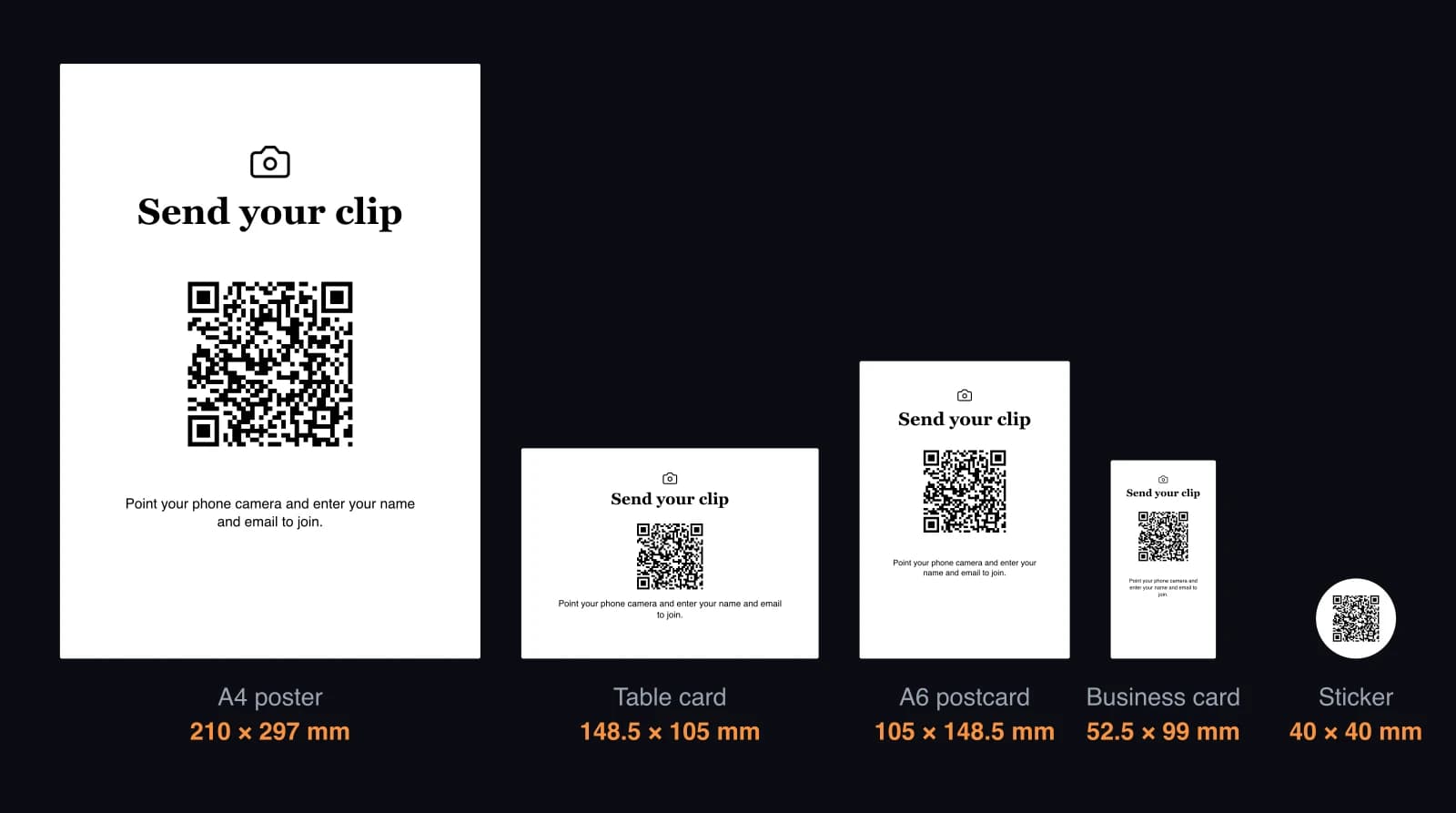
These are the formats we print, with the code already sized for each one. The module column is the arithmetic above, at 37 modules with a 4-module quiet zone.
The reading distance comes from the industry rule of thumb: in good conditions a QR code reads at roughly ten times the width of the code. It is an estimate, not a guarantee. Bad light and an old phone shorten it.
The last column holds three numbers in that order: the printed code, the module that falls out of it, and the estimated reading distance.
| Format | Sign | Code · module · reads at |
|---|---|---|
| A1 poster | 594 × 841 mm | 250 mm · 5.6 mm · ~2.5 m |
| A4 poster | 210 × 297 mm | 100 mm · 2.2 mm · ~1 m |
| Half-A4 flyer | 105 × 297 mm | 62 mm · 1.4 mm · ~60 cm |
| A6 postcard | 105 × 148.5 mm | 50 mm · 1.1 mm · ~50 cm |
| Table card | 148.5 × 105 mm | 40 mm · 0.89 mm · ~40 cm |
| Business card | 52.5 × 99 mm | 30 mm · 0.67 mm · ~30 cm |
| Round sticker | 40 mm diameter | 28 mm · 0.62 mm · ~28 cm |
A1 poster
- Sign
- 594 × 841 mm
- Code · module · reads at
- 250 mm · 5.6 mm · ~2.5 m
A4 poster
- Sign
- 210 × 297 mm
- Code · module · reads at
- 100 mm · 2.2 mm · ~1 m
Half-A4 flyer
- Sign
- 105 × 297 mm
- Code · module · reads at
- 62 mm · 1.4 mm · ~60 cm
A6 postcard
- Sign
- 105 × 148.5 mm
- Code · module · reads at
- 50 mm · 1.1 mm · ~50 cm
Table card
- Sign
- 148.5 × 105 mm
- Code · module · reads at
- 40 mm · 0.89 mm · ~40 cm
Business card
- Sign
- 52.5 × 99 mm
- Code · module · reads at
- 30 mm · 0.67 mm · ~30 cm
Round sticker
- Sign
- 40 mm diameter
- Code · module · reads at
- 28 mm · 0.62 mm · ~28 cm
These sizes come out ready, with the code already scaled.
Moment Recap generates the print sheet in eight formats at true size, with the cut and fold lines on it. The link is short on purpose.
Notice the business card and the sticker sit at 0.67 and 0.62 mm per module. They clear the minimum, but not by much. These are the two formats a longer link breaks, and it breaks in steps rather than gradually:
| Link length | Modules | Module on a 40 mm sticker |
|---|---|---|
| up to ~60 characters | 37 | 0.62 mm |
| ~70 characters | 41 | 0.57 mm |
| ~80 characters | 45 | 0.53 mm |
| ~90 characters | 49 | 0.49 mm, under the minimum |
up to ~60 characters
- Modules
- 37
- Module on a 40 mm sticker
- 0.62 mm
~70 characters
- Modules
- 41
- Module on a 40 mm sticker
- 0.57 mm
~80 characters
- Modules
- 45
- Module on a 40 mm sticker
- 0.53 mm
~90 characters
- Modules
- 49
- Module on a 40 mm sticker
- 0.49 mm, under the minimum
So a gallery that generates 90-character links makes the round sticker unprintable on a home printer. The poster still works. The sticker does not. The same squeeze applies to the code on a wedding invitation, where the full link to an RSVP form easily runs past 90 characters.
A short link is a font size
Every character you take out of the link is a module you get back. If your service lets you choose between a short URL and one carrying tracking parameters, put the short one on paper. Paper does not update.
The round sticker trap
A 40 mm round sticker looks like it fits a 40 mm code. It does not.
A QR code is square, and the largest square that fits inside a circle is the inscribed square: the side is the diameter divided by the square root of two.
40 ÷ √2 = 28.28 mm
Put a 36 mm code on a 40 mm disc and it looks perfect on screen. Then you cut it out, and the cut takes the corners with it, which is exactly where the three big position squares live. Without them a reader cannot find the code at all. It stops working completely, and you find out after you have cut all twenty-four.
On a 40 mm disc, the code is 28 mm. That is the whole rule.
Where each size goes
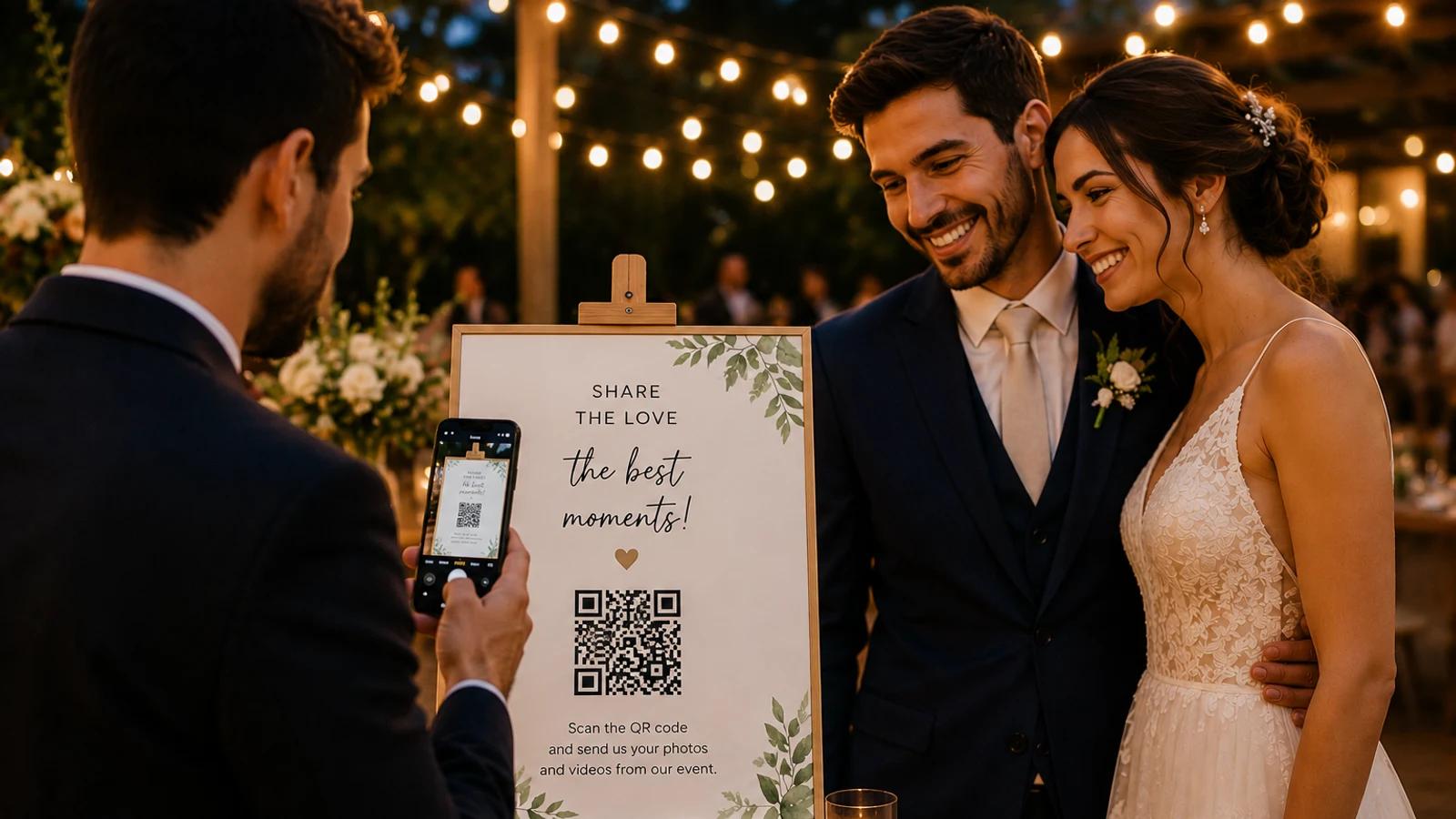
- A1 or A4 poster at the entrance. The only piece somebody reads standing up, from a distance, before they sit down. It is also the one most couples forget to make.
- Folded table card, one per table. The format that actually gets scanned, because it stands at the eye level of a seated guest and reads from both sides.
- A6 postcard at each place setting. One per guest, and it fits in a bag. Good when you want people sending things afterwards, not only during.
- Business card or sticker. On the back of the menu, on the favour, on a cup. A supplement, never the main piece: a 30 cm reading distance means somebody has to pick it up.
- The bathroom. Seriously. It is where people stand still holding their phone.
Every spot at the party, with what works and what does not, is in where to put the QR code at your wedding.
Worth thinking about alongside the day's timeline: the moment signs start to matter is when the party starts, not during the ceremony.
The sign is only half of it, and before you print, it is worth testing the photo app the code will open on an Android and an iPhone. What happens after a guest scans is on the wedding QR code for guest photos and videos page, and why a printed code beats asking everyone to post in a WhatsApp group has its own article. If you don't have the code yet, the wedding QR code generator makes one for free, and its SVG stays sharp at every size in the table.
Test before you print fifty
Five minutes that save the night:
- Print one sheet, at 100% scale. Turn off "fit to page" in the print dialog. That is the setting that quietly shrinks everything by about 6% when the tray has Letter paper and the file is A4.
- Cut and assemble it properly, especially for round stickers.
- Put it on the table and sit where a guest will sit.
- Scan it with the oldest phone in the house, in the light the party will have, not your kitchen light.
- Do it one-handed, at an angle, the way somebody holding a drink would.
If it passes that, print the rest.
What the wording has to do with it
All of this solves the physical half. The human half is still what you ask for. "Share your photos" gets you photos; asking for something specific gets you something specific. Ready-made wording for the table, entrance, bar and bathroom is in what to write on your wedding QR code sign, and the ask itself is covered in how to collect video straight from your guests' phones.
The order matters: first the code works, then the wording persuades. Excellent wording on a 20 mm code is read by nobody.
How we got these numbers
The module counts were measured, not estimated. We generated the codes with the qrcode library at level Q, for links shaped like https://.../event/<token>, and read how many modules each one came out at. The sign and printed-code sizes are the ones we use on the sheets Moment Recap generates, in millimetres.
One thing here was not measured: the reading distance. "Ten times the width of the code" is an industry rule of thumb, and the table uses it as an estimate rather than as a result. We still intend to print codes at 20, 30, 40 and 50 mm and test them properly, at 50 cm, 1 m, 1.5 m and 2 m, on phones of different generations. When that test exists, that column stops being a rule of thumb and becomes ours.
Turn your guests' clips into a recap worth sharing.
Create your event, share one QR code, and get a vertical recap the same night.